QR Codes on Rental Equipment: Setup, Returns and Fault Reports
Everything else this site has written about putting a code on a physical object assumes one of two situations: the thing is yours and the code opens your own records, or the thing is sold and the code has to work forever in a stranger's kitchen. A rented item is neither. It is yours, in a stranger's hands, on a deadline — and then it comes back and goes out again to somebody else. That changes what the code is for, and it rules out most of what the equipment-tracking pitch promises.
This is about the code the customer scans: on a pressure washer, a floor sander, a PA system, a camera body, a wallpaper steamer, a hospital bed, a bouncy castle, a bike. Not the internal asset tag your own staff use — that is a different code with a different job, covered in QR codes on equipment and maintenance logs. Here the person scanning does not work for you, has no account, and is standing in a driveway wanting one thing.
The four questions a renter actually has
People do not scan a code on a hire item out of curiosity. They scan it because something has come up, and it is almost always one of these:
- How do I set this up and use it? The instructions are in the office. The customer is in a field.
- It is not working — what do I do? Is this a fault, a mistake, or a safety problem? Who do I call, and will I be charged for it?
- How do I return it, and when? Where, which door, what hours, does it need to come back clean, fuelled, dry, coiled?
- Can I keep it longer, or get another one? Extension, re-booking, the next size up.
Put those four on one page, in that order, and stop. Not the homepage — the customer is holding the product, and a homepage makes them find it again. Not a PDF of the manufacturer's manual as the first thing they see — a forty-page PDF on a phone in sunlight is how a customer decides to guess instead. The manual belongs on the page as a download, under the quick-start. The general rule for choosing a destination is in where should a QR code point; the rental-specific version is that the page should read like the answer you would give on the phone, because it is replacing that call.
If you want the page to exist without building anything on your own site, a Smart Destination Page is one hosted page per code: text blocks for the quick-start and the return instructions, a file block for the full manual as a PDF, link buttons, and a form — which matters in a minute.
One code per model — almost always
The equipment post makes the case for one code per unit, because an engineer wants this pump's history, not the model's manual. The customer wants the opposite. Every question above is about the model: how does this kind of sander work, how does this kind of generator get returned. So the customer-facing code is one code per model, printed on every unit of it, and it is cheap for exactly that reason — one address, printed a hundred times, and the page it opens is the same for everyone who ever hires one.
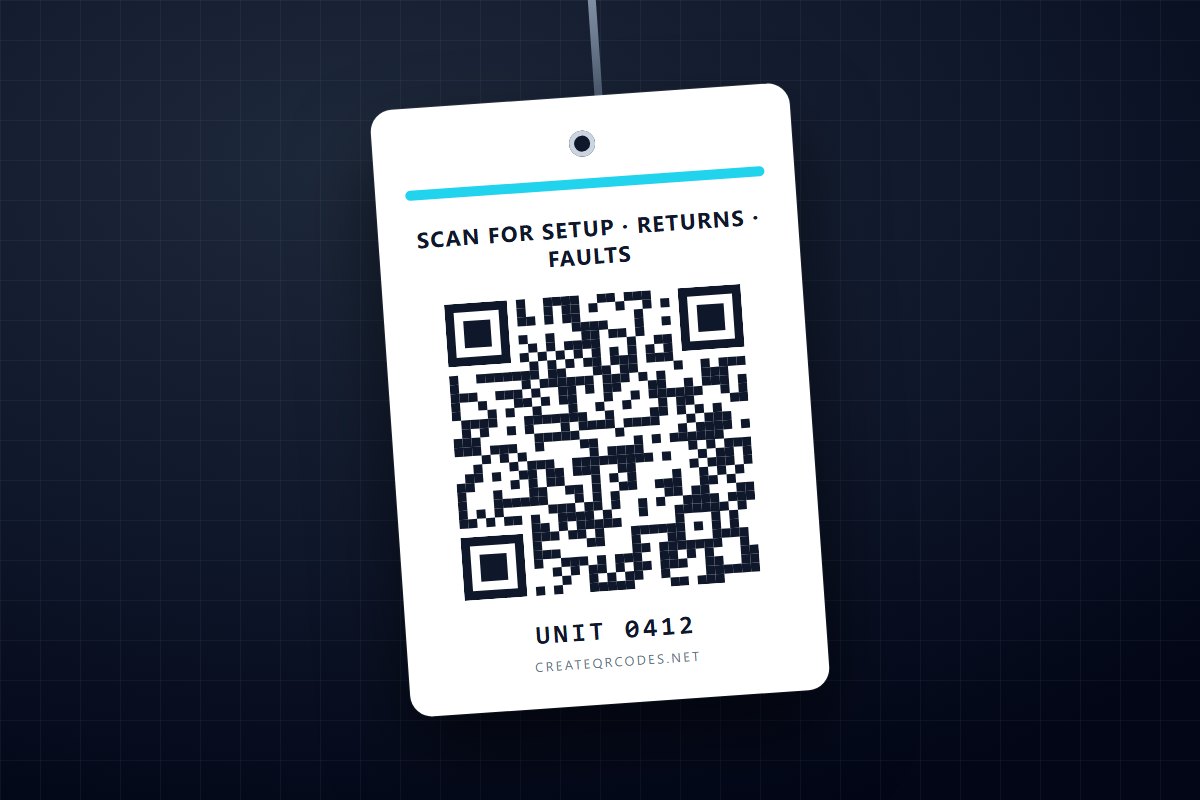
Then print the unit number in plain text beside the code. Not because the code needs it, but because the customer will, the moment they phone or fill in a form: "which one have you got?" A number they can read out is the fallback that survives a flat battery, no signal, and a scratched label — and it costs nothing.
Per-unit customer codes are worth it in one situation only: you already run a booking system that can look up a unit and show its current hire, and you are prepared to build the page that does that. Be clear-eyed about what this product does and does not do there. Bulk-generating a code per unit from a CSV is a Business feature, and those codes are static — each one encodes its own fixed address and has no scan history and no re-pointing. That is fine for "unit 0412 opens /units/0412 on your site", and it is not a serialisation system, a booking system or an asset register. Those live on your side.
The code cannot know whose hire it is
This is the constraint that quietly decides the design, and it is easy to forget while imagining the customer's phone showing "due back Thursday 5pm". A code on a hire item is the same code for every customer who ever holds it. Scanning it identifies the item, or the model. It does not identify the customer, the booking, or the due date — nothing in a printed square can.
Two consequences:
- Do not put anything customer-specific behind the code. Everything behind an unauthenticated URL is public, and a hire item leaves your premises by definition — it is scanned in car parks and on building sites by whoever picks it up. Return hours, the depot address, the quick-start and the fault line are fine. A page that shows the current hirer's name, address or card details is a page you have published to the street.
- The due date lives on the paperwork, not the code. The honest page says what applies to everyone — "returns to the trade counter, 7:30–5, Saturday to 12, please bring it back clean and fuelled" — and, if you can look bookings up, offers a field for the booking reference from the receipt. That is a customer choosing to identify themselves, which is different from a sticker doing it for them.
The same sticker-can-be-swapped problem the equipment post raises applies with more force to something that spends its life off-site. If a code on a hire item always lands on your own domain, "check the address it opened" is a one-second check you can print on the tag. If it lands on a hosted page, the domain in the address bar is the hosted page's, not yours — worth knowing when you decide which kind of destination to use.
Dynamic, because the fleet outlives the sticker
A hire fleet is the strongest case for a dynamic code on this whole site, and the reason is arithmetic. A static code bakes the address into the pattern; a dynamic code encodes a short forwarding address you can re-point without reprinting — the trade-off in full is in static vs dynamic QR codes. On a business card, re-pointing is a convenience. On two hundred labelled units spread across three depots and forty customers' vans, it is the difference between changing one setting and recalling a fleet.
Things that change under a printed rental label: the depot moves or opens a second one; the return hours change; the phone number changes; the manufacturer replaces the manual; a model is retired and you want its code to say "this line has been replaced — here is the equivalent" rather than open a dead page. Every one of those is a reprint on a static code and a two-minute edit on a dynamic one. Dynamic codes are a Pro feature (25 of them on Pro, unlimited on Business); a static PNG is free, and free is the right answer for a fleet of one whose instructions will never change.
There is one small thing routing does that is genuinely useful here. The customer's most urgent scan is the out-of-hours one — the generator that will not start at 7am Saturday — and the page they need then is not the page they need at 10am Tuesday. Time-of-day and day-of-week routing lets one printed code open the trade-counter page during opening hours and the "we are closed — here is the emergency line and what you can safely check yourself" page outside them. Same sticker, no reprint, and the rule runs in your local time.
The fault report is the page that pays
Of the four questions, three are answered by text on a page. The second one — it is not working — is the one where a form earns its place, and it is the most under-built page in this whole category.
Think about how a fault is reported without it. The customer phones, gets a voicemail, gives up, uses the item anyway or does not, and mentions it at return. Now there is a conversation about whether the scratch was there before, whether the fault was theirs, and whether they are paying for the day it did not work. Nobody enjoys that conversation, and it is a dispute about timing: when did the problem start, and who knew.
A report-a-fault form on the code's landing page changes the timing. The customer describes the problem while standing in front of it, gives the unit number from the label, and submits. What you now have is a timestamped report — 4:12pm Tuesday, unit 0412, "leaks fuel from the cap" — that both sides can see. That is not evidence of anything and it will not settle a dispute on its own; it is simply a fact that exists, where before there was a memory.
Be precise about what this product's form does. A Smart Destination Page form takes text, email and phone fields, and on Business the submissions export as CSV. It does not take a photo upload. For damage a photo usually matters, so either the fault form lives on your own site where it can, or the hosted page gives a number to text the photo to and the form captures everything else. Either way the form collects the report; reading it and calling the customer back is still a job.
Make the form short. Unit number, what is wrong, a phone number, and one question — "is it safe to keep using?" with a note that says if in doubt, stop. A long form on a phone in the rain gets abandoned and you are back to the voicemail.
Where the label goes, and what it is made of
Everything the equipment post says about labels applies, and one thing is different. There, the label competes with abrasion and solvents for years on a machine that mostly stays put. Here it competes with customers — a hire item is loaded, unloaded, dragged, hosed down and stacked in a van several times a month, by people who have no reason to protect a sticker.
- Put it where the hands are not. Not the handle, not the grip, not the surface that gets set down. The side of the housing, the inside of the case lid, the underside of a control panel.
- Put a second copy on the case, and a third on the paperwork. The case usually outlives the label on the item, and the hire agreement is the one surface that is definitely in the customer's kitchen when the question comes up.
- Use a label that survives a pressure washer, because at some point it will meet one — a polyester or laminated label, or engraving on the housing, rather than paper.
- Keep the encoded address short. A shorter address means fewer, larger modules, and larger modules survive dirt and a scuff. A dynamic code's short forwarding address helps here for a second reason beyond re-pointing.
- Plain, dark on light, no logo. QR code design that still scans covers why; on a tag that will be read at arm's length in bad light through a film of dust, every bit of error correction is for the dust.
Then test it the only way that counts: a real label, on the real item, scanned outdoors with a cheap phone after the item has been out on hire twice. A label that was fine on the counter and gone after the second job tells you the label, not the code, is the problem.
What the scan data is worth here
Scan analytics record that a code was scanned — how many times, roughly when, roughly where, on what kind of device. On a rental fleet that is useful in one specific way: which models get scanned is which models people need help with. A model whose code is scanned on most hires has instructions that are not doing their job, or a product that is harder than it should be. A model that is never scanned is either self-explanatory or has a label nobody can find. Both are worth knowing, and neither needs a survey.
The line that must not be crossed is the same one as everywhere else on this site: a scan is a phone reading a square. It is not a return, not a check-out, not proof the customer read the safety page, and not evidence of anything in a dispute. If a process needs to know that an item came back, that is a process on your side — a scan count is a hint about your instructions, never a record of your inventory. How to track QR code scans covers what the numbers do support.
Start with the three items that generate the phone calls
Do not label the fleet. Ask the counter which three models cause the most calls — the ones where the same question comes in every weekend — and give those three a page that answers that question first, with the fault form under it. Label the units, and see for a month whether the calls change and whether the codes get scanned. If they do, you have learned where to go next for the cost of three labels. If they do not, look at the label before you look at the page: the most common reason a rental code is not scanned is that nobody could find it.
The same one-code-in-a-stranger's-hands problem, for a thing that ships and never comes back, is the product packaging template and QR codes on product labels — the print constraints there are worth reading if the label is going on something small.
The short version
- The customer's code answers four questions — setup, fault, return, extend — on one page, in that order. Not the homepage, not a manual as the first screen.
- One code per model, printed on every unit, with the unit number in plain text beside it. Per-unit codes only if you already have the system to resolve them; bulk codes here are static.
- The code cannot know whose hire it is. Nothing customer-specific behind it; the due date stays on the paperwork.
- Dynamic, because two hundred labels across three depots is a fleet recall on a static code and a setting on a dynamic one. Route out-of-hours scans to the out-of-hours page.
- The fault-report form is the page that pays: a timestamped report from the customer's side, before the return conversation. The hosted form takes text, email and phone — a photo needs your own form or a number to text it to.
- Label where the hands are not, duplicate it on the case and the paperwork, choose a label that survives a pressure washer, and test after two hires, not on the counter.
- Scans tell you which models need better instructions. They are never a return, a check-out, or evidence.