How to A/B Test QR Codes and Trust the Result
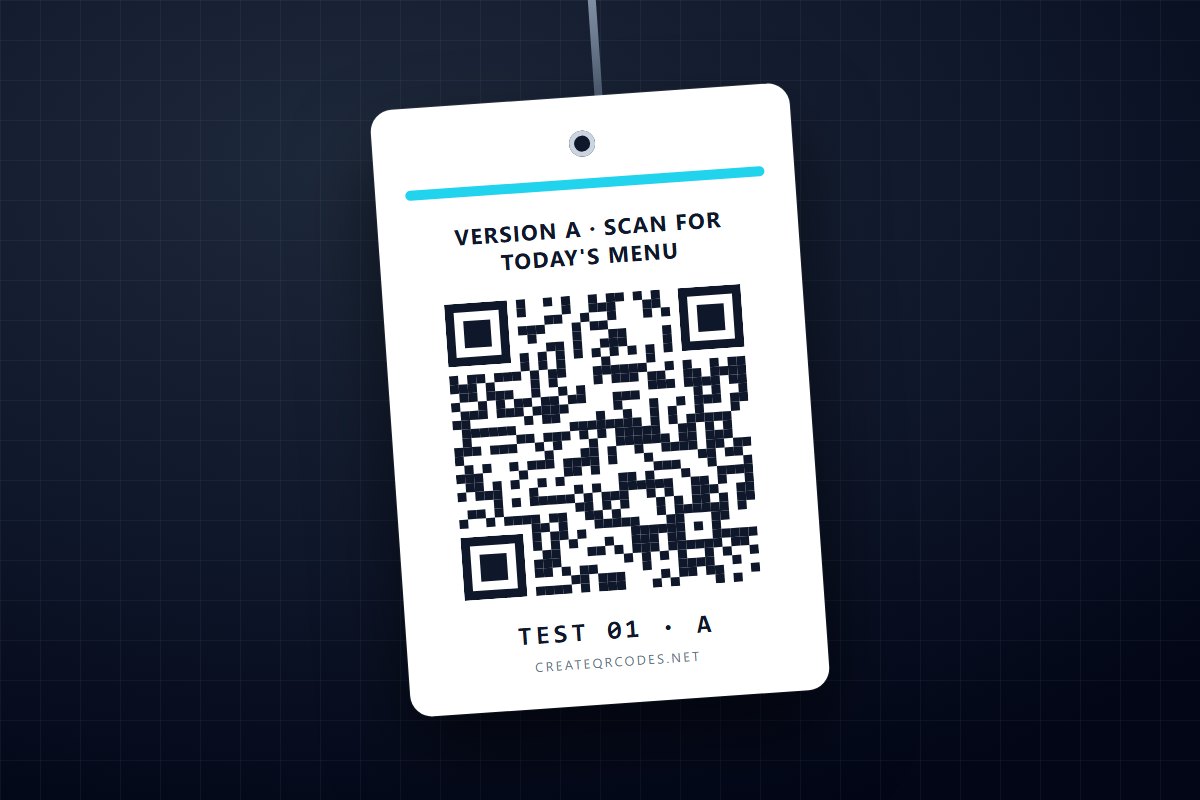
An A/B test of a QR code is simple to describe: print two versions that differ in one thing, give each its own code, put them out at the same time in the same places, and count. Almost every QR "test" that goes wrong breaks one of those four conditions. It compares this month's poster with last month's, or changes the headline and the colour together, or calls a winner on twelve scans. This guide is the version that gives you a result you can act on.
A word on why this post exists. Plenty of QR sites publish customer case studies. We don't have any to show you, and we won't make one up. The result that will actually tell you something is your own, from your own flyers and your own customers, so here is how to get a trustworthy one.
What a QR test can actually tell you
A QR code is the last step of a printed piece, so a scan count measures the whole piece: where it was, what it said, and whether the code was easy to read. That gives you two kinds of test.
- Testing the print. Two versions of the physical thing: a different call to action beside the code, a different size or position, a different offer, a table tent against a window sticker. Each version gets its own code, and the scan counts are the result. This is what QR codes are good at measuring.
- Testing the destination. The same printed piece, two different pages behind it. The scan count can't judge this, because people scan before they see the page. What you compare is what they did after landing: sign-ups, orders, bookings. That is measured on your site, not in the code's analytics.
Decide which one you are running before you print anything. Most useful first tests are print tests. The line next to the code does more work than people expect. What to put next to a QR code is a good source of a version B.
Rule 1: one dynamic code per version
Each version needs its own code, or you can't tell their scans apart. The codes have to be dynamic. A static code sends the phone straight to the destination with nothing in between, so nobody can count it. On this site a static code shows "not tracked" rather than a zero, because zero would be a claim nobody can make. Static vs dynamic QR codes explains the difference.
Plainly, for this site: a test needs at least two saved dynamic codes and their scan analytics, which means Pro or above. The Free plan allows one saved code and does not include scan analytics. Pro allows up to 25 dynamic codes.
Name the codes for the test, for example "Oct flyer A, tip line" and "Oct flyer B, menu line", so that in three weeks nobody has to guess which was which.
Rule 2: change one thing
If version B has a new headline, a bigger code and a different colour, and it wins, you have learned that B won. You have not learned why, so you can't reuse the lesson. Change one thing per test. If you have three ideas, that is three tests, run one after another.
The code itself counts as a thing. If A's code is printed at 2 cm and B's at 4 cm, you are testing size whether you meant to or not. Keep both codes the same size, with the same quiet zone and the same contrast, unless size is the test. QR code design that still scans covers the settings that change how readily a code reads.
Rule 3: same time, same places
This is the rule that most tests break, and the one that matters most. Comparing this week's version with last week's doesn't work. The weather, the day of the month, a local event and a quiet Tuesday all move scan counts, and they will swamp the effect of a one-line change. Both versions have to be out at the same time, in comparable spots.
- Flyers or leaflets: alternate A and B in the same stack, so each pile hands out both in equal numbers.
- Tables, rooms or shelves: put A on half and B on the other half, then swap halves after the first week, so neither version keeps the good window seat.
- Posters across locations: pair similar locations and give one of each pair A and the other B. Don't put all the A posters in the busy branch.
- Mail: alternate down the mailing list, rather than sending A to one postcode and B to another.
Write down how many of each you put out. If A got 300 flyers and B got 200, more scans for A tells you nothing until you divide.
Why a rotating destination is not a split test
Some generators, this one included, can make one code send people to different pages on different days. On this site that is the rotation rule, on the Business plan. It switches the destination by day, so page A gets one day and page B the next. It is built for daily specials, and it is the wrong tool for a test. Your Mondays would all go to one version, and a difference between versions can't be told apart from a difference between days. Nothing on this site splits scans at random, scan by scan. To test two destinations, either give each one its own printed code under Rule 3, or send one code to a single page and run the split on your own site with whatever testing tool it already uses.
Rule 4: count the right thing
A dynamic code on this site records every scan with its time, country, device, operating system and browser. Before you read the totals, take out three things that aren't customers:
- Your own test scans. You will scan each code before printing, and you should. Note each code's count on the day the pieces go out, and measure from there.
- Automated hits. Link previewers and crawlers sometimes request a code's address. Here they are recorded and labelled as a bot device, not hidden, so check the device breakdown and subtract them.
- Uniques, treated with care. The unique count on this site is an estimate of distinct devices. No scan record stores an IP address, so it is worked out from the phone's browser signature. Two people on the same phone model and browser version can count as one. For a test, compare total scans after the two subtractions above, and use uniques as a cross-check, not as the score.
For a destination test, or to follow a print test through to sales, put tracking parameters in each code's destination address. Give each version its own value, for example ?utm_source=flyer&utm_medium=qr&utm_content=version-a and …version-b. This site's redirect does not add anything to the address on the way through, so the parameters have to be part of the destination you save. Your own analytics then sees which version each visitor came from. How to track QR code scans covers what each metric means.
Rule 5: enough scans before you call it
Small counts bounce around. If A has 12 scans and B has 8, that looks like a 50% win for A. It is almost certainly luck, and the next fortnight could easily come out the other way.
A rule of thumb that holds when both versions had equal exposure under Rule 3: add the two counts together, take the square root, and double it. The gap between A and B needs to be bigger than that.
- 12 vs 8: the total is 20 and √20 ≈ 4.5, so the gap needs to beat about 9. It is 4. That is noise, so keep going.
- 70 vs 50: the total is 120 and √120 ≈ 11, so the gap needs to beat about 22. It is 20, still not clear, even though A is "40% ahead".
- 130 vs 90: the total is 220 and √220 ≈ 14.8, so the gap needs to beat about 30. It is 40, a real difference and worth acting on.
Those numbers are worked examples of the arithmetic, not results from anyone's campaign. The arithmetic itself is standard. If both versions are equally good, each scan is a coin flip between them, and the gap between two coin-flip counts typically wanders by about the square root of the total. Twice that is the usual bar for "probably not luck".
Two consequences are worth knowing before you start. A small difference between versions takes a lot of scans to show, so test bold differences, a different offer and not a different comma. And decide in advance how long the test runs or how many scans you will wait for. Checking every day and stopping the moment one version pulls ahead is the most reliable way to crown a fluke.
Write it down
A test you don't record gets forgotten, and then it gets run again. One line per test is enough:
- what changed between A and B, which should be one thing;
- where and when they went out, and how many of each;
- the start count and end count for each code, minus your test scans and bot hits;
- whether the gap cleared the bar, and what you will keep.
Then retire the losing version. If the codes are dynamic, you can point the loser at the winner's destination, so pieces that are still out in the world keep working.
The short version
- One dynamic code per version. Static codes can't be counted.
- Change one thing. Keep the codes themselves identical unless the code is the test.
- Same time, same places, equal numbers. Never this week against last week.
- A rotating destination is not a split. It splits by day, so the days get tested and the versions don't.
- Subtract your own scans and bot hits. Use uniques as a cross-check, not the score.
- The gap must beat twice the square root of the total before you call a winner.
When you're ready, make the two codes. Make them dynamic, and name them for the test.